Verto
Flashcard learning platform
Role
Full-Stack Developer
Stack
Next.js 16, TypeScript, Supabase, TanStack Query, Zustand, Tailwind CSS v4, dnd-kit
Year
2025

Live Demo · Click to load
Open in New Tab01/The Constraint
Flashcard tools tend to bury creation behind menus and limit you to one card at a time. The goal was to make creation as fluid as the study flow itself. Every interaction had to feel like typing in a document, not filling out a form — and the study mode had to work entirely from the keyboard.
02/The Architecture
The app is split into three route groups: a public marketing site, an auth flow with email/password and Google OAuth via Supabase, and an authenticated dashboard shell. All data mutations go through Next.js server actions — no API routes except the OAuth callback. TanStack React Query handles the client cache with server-side prefetching via HydrationBoundary on every dashboard page, and Zustand persisted stores track study progress and card order in localStorage. Flashcard data lives in Supabase PostgreSQL with row-level security scoped by user, and a performance JSONB column stores spaced repetition metadata per card.
03/The Interface
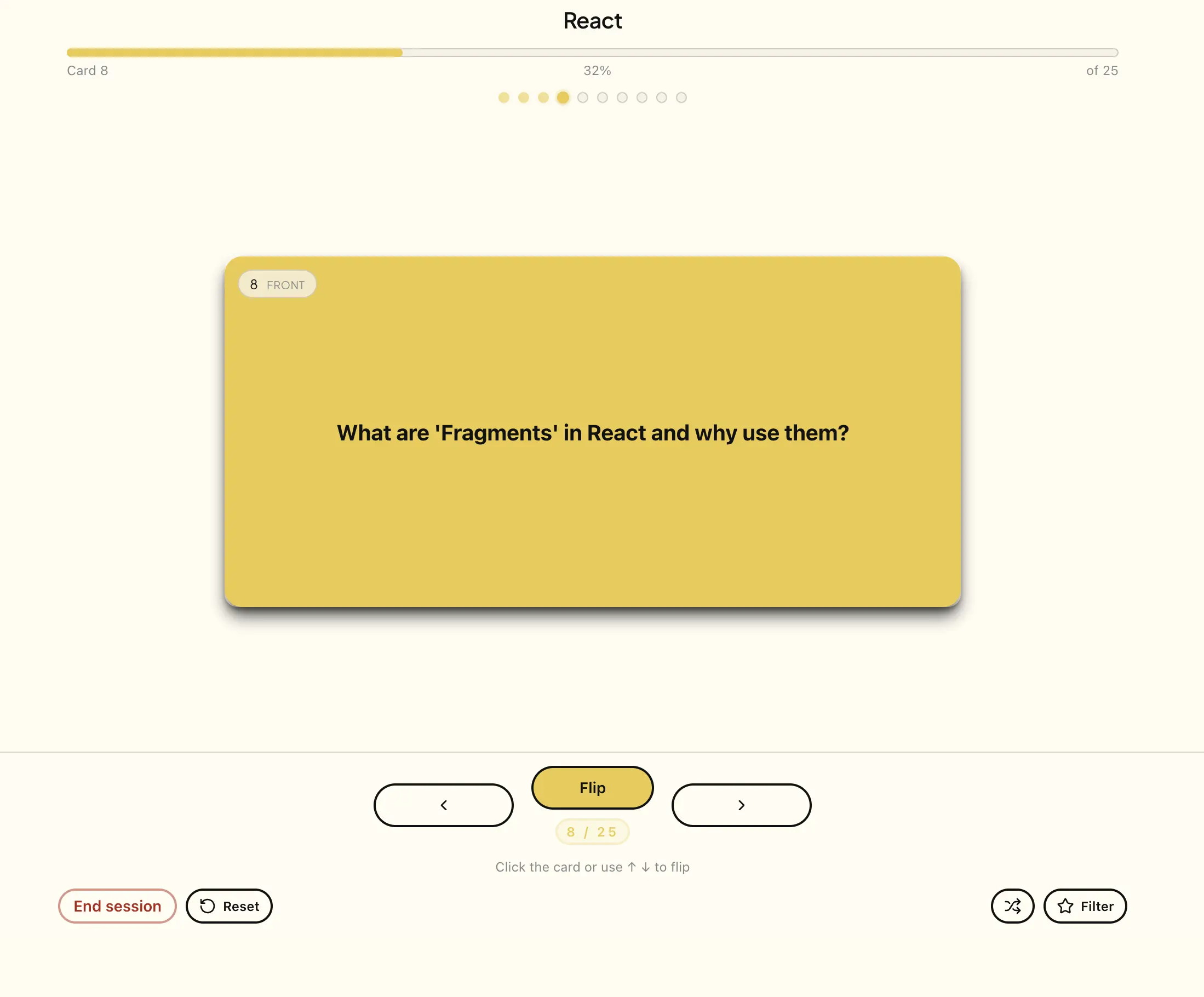
Study mode is a full-screen immersive view with 3D CSS flip animations. Navigation is keyboard-first: spacebar to flip, arrow keys to advance, and a starred-only filter to focus on difficult cards. Drag-and-drop reordering via dnd-kit uses optimistic updates so the list never flickers during a move. JSON bulk import validates and previews cards before committing. A global command palette accessible via Cmd+K provides fast set navigation, and the collapsible sidebar prefetches set data on hover for instant transitions.

Source Code
study-progress.store.tstypescript
// Zustand persisted store — study progress survives refresh
export const useStudyProgressStore = create<StudyProgressState>()(
  persist(
    (set) => ({
      sessions: {},
      saveProgress: (setId, index, starred) =>
        set((state) => ({
          sessions: {
            ...state.sessions,
            [setId]: { currentIndex: index, starredOnly: starred },
          },
        })),
      clearProgress: (setId) =>
        set((state) => {
          const { [setId]: _, ...rest } = state.sessions;
          return { sessions: rest };
        }),
    }),
    { name: "verto-study-progress" },
  ),
);